

 Deutsch
 Español
 Français
 Português
How to use PhoneInfoga: every command, with examples
To use PhoneInfoga, open a terminal and type phoneinfoga scan -n followed by the phone number with its country code, as in phoneinfoga scan -n "+1 201-555-0123". Version 2.11.0 has three other commands. The scanners command lists the sources of a scan, serve starts a web interface for your browser, and version prints the version. Below, each command comes with its options and the output of the v2.11.0 code, along with how to read the results and the options of older tutorials that no longer work. If the tool is not installed yet, follow our guide for Windows, Ubuntu or Kali Linux, or check a number with our online version.
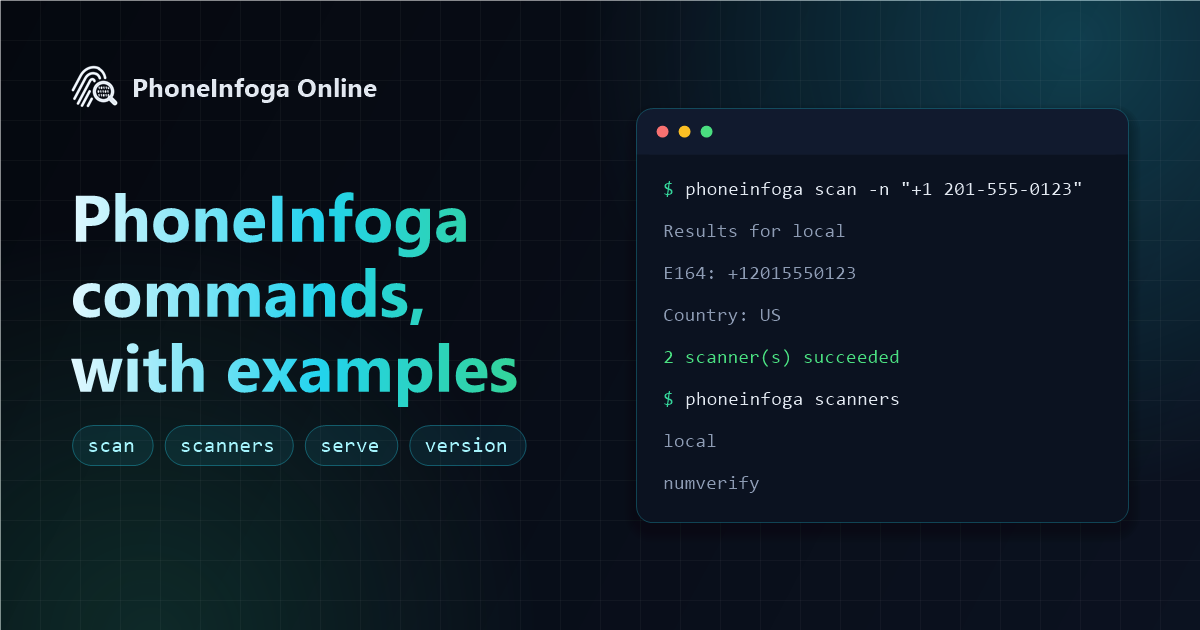
The four PhoneInfoga commands
Type phoneinfoga alone to list them. Rendered from the v2.11.0 code, its help reads:
PhoneInfoga is one of the most advanced tools to scan phone numbers using only free resources.

Usage:
  phoneinfoga [command]

Examples:
phoneinfoga scan -n <number>

Available Commands:
  help        Help about any command
  scan        Scan a phone number
  scanners    Display list of loaded scanners
  serve       Serve web client
  version     Print current version of the tool

Flags:
  -h, --help   help for phoneinfoga

Use "phoneinfoga [command] --help" for more information about a command.| Command | What it does | Options |
|---|---|---|
phoneinfoga scan | Scans one phone number. | -n, -D, --env-file, --plugin |
phoneinfoga scanners | Lists the five scanners and what each one does. | None |
phoneinfoga serve | Starts the web interface and the REST API. | -p, --no-client, -D, --env-file |
phoneinfoga version | Prints the version. | None |
Add --help after a command to see its options, as in phoneinfoga scan --help. There is no --version option: the version command gives the version, which should read PhoneInfoga 2.11.0-5f6156f for the official release.
On Windows, write .\phoneinfoga.exe in place of phoneinfoga in PowerShell, unless you added its folder to your Path. The rest of each command stays the same.
We checked this tutorial on November 26, 2026, against the v2.11.0 code and its documentation. The outputs come from that code built and run offline, not from the official binary, and the sentence before each block says so. We tried the Windows lines in PowerShell 5.1 on Windows 10, with our own build of PhoneInfoga.
phoneinfoga scan: scan a phone number
The scan command takes the number after -n, or --number. Put it in quotes when it contains spaces. These three lines scan the same number:
phoneinfoga scan -n "+1 201-555-0123"
phoneinfoga scan -n 12015550123
phoneinfoga scan --number "+1 (201) 555-0123"
PhoneInfoga removes spaces, parentheses, dots and hyphens, and adds the + itself if you leave it out. What it cannot do is guess the country:
| What you type | What happens |
|---|---|
-n +1 201-555-0123, without quotes | Error: unknown command "201-555-0123" for "phoneinfoga scan" |
-n 2015550123, without the country code | No error, but the number is read as Egyptian, with Country: EG, because 20 is the country code of Egypt. |
| A national number with its leading 0, the way French numbers are usually written | invalid country code |
Letters, or a placeholder such as +4176418xxxx | given phone number is not valid |
phoneinfoga -n "+1 201-555-0123", without scan | Error: unknown shorthand flag: 'n' in -n |
phoneinfoga scan "+1 201-555-0123", without -n | Error: unknown command "+1 201-555-0123" for "phoneinfoga scan" |
The 00 prefix works in place of the + where a country uses it, as in 0033 for France. For the United States, 001 gives invalid country code, since the American prefix for international calls is 011.
The --env-file option reads the API keys from a file other than .env, as in --env-file=.env.local. To set them, see how to set PhoneInfoga API keys in a .env file.
How to read the results of a PhoneInfoga scan
Run offline without any key, the v2.11.0 code prints 102 lines for the fictional number above. Here they are with one of the 45 search links left:
Running scan for phone number +1 201-555-0123...

Results for googlesearch
Social media:
	URL: https://www.google.com/search?q=site%3Afacebook.com+intext%3A%2212015550123%22+%7C+intext%3A%22%2B12015550123%22+%7C+intext%3A%222015550123%22

Results for local
Raw local: 2015550123
Local: (201) 555-0123
E164: +12015550123
International: 12015550123
Country: US

2 scanner(s) succeeded
Each Results for block comes from one scanner, in alphabetical order:
| Block | What it shows | What it needs |
|---|---|---|
local | The number in four formats, its country and, when the numbering data knows it, its carrier | Nothing |
googlesearch | 45 Google search links in five groups: Social media, Disposable providers, Reputation, Individuals and General | Nothing |
numverify | Validity, local and international formats, country, location, carrier and line type | A Numverify key |
ovh | Whether OVH Telecom knows the number range, with its city and zip code | A number from France, Belgium, the United Kingdom, Spain or Switzerland |
googlecse | The pages found through Google Custom Search, with the number of results | A Google key and search engine ID |
The 45 links are searches that PhoneInfoga writes for you. It never contacts Google itself, and nothing is searched until you open a link, so what each link shows depends on Google at that moment.
The last line counts scanners, not results. 2 scanner(s) succeeded means that local and googlesearch ran and that the other three were skipped without a message, which is normal without keys. When a scanner runs and fails, a The following scanners returned errors: block lists it just before that line, as in numverify: Invalid authentication credentials, and the command still ends normally.
No block names the owner of the number or gives the position of the phone. According to the project's README, PhoneInfoga cannot track a phone or its owner, and the country shown is where the number range was assigned.
Skip scanners with the -D option
Each -D, or --disable, skips one scanner for this scan. Repeat it to skip several:
phoneinfoga scan -n "+1 201-555-0123" -D googlesearch
phoneinfoga scan -n "+1 201-555-0123" -D googlesearch -D ovh
After the first line, only the local block remains, followed by 1 scanner(s) succeeded. A list such as -D googlesearch,ovh skips nothing, and a misspelled name is ignored without a warning. The exact names come from phoneinfoga scanners, which prints this with the v2.11.0 code:
local
Gather offline info about a given phone number.

numverify
Request info about a given phone number through the Numverify API.

googlesearch
Generate several Google dork requests for a given phone number.

ovh
Search a phone number through the OVH Telecom REST API.

googlecse
Googlecse searches for footprints of a given phone number on the web using Google Custom Search Engine.
Save PhoneInfoga results to a file
No option writes the results to a file, but the shell can keep a copy. On Linux and macOS, tee shows the results and saves them at the same time:
phoneinfoga scan -n "+1 201-555-0123" | tee scan.txtIn PowerShell, Tee-Object does the same:
.\phoneinfoga.exe scan -n "+1 201-555-0123" | Tee-Object scan.txtColors are turned off when the output goes through a pipe, so the file holds plain text.
Scan a list of numbers
Version 2 cannot read numbers from a file, but a loop can run one scan per line of numbers.txt, with one number in international format on each line. On Linux and macOS:
while read -r number; do phoneinfoga scan -n "$number"; done < numbers.txtIn PowerShell:
Get-Content numbers.txt | ForEach-Object { .\phoneinfoga.exe scan -n $_ }Add | tee results.txt or | Tee-Object results.txt after the loop to keep every result in one file.
See why a PhoneInfoga scanner did not run
A skipped scanner leaves no message. To see the reason, set LOG_LEVEL=debug for the command, here with -D googlesearch to hide the links:
LOG_LEVEL=debug phoneinfoga scan -n "+1 201-555-0123" -D googlesearchThe reasons appear among the debug lines on stderr. Here are the lines about scanners from a capture of the v2.11.0 code, without their timestamps:
level=debug msg="Scanner was ignored by filter" scanner=googlesearch
level=debug msg="Scanner was ignored because it should not run" reason="country code 1 is not supported" scanner=ovh
level=debug msg="Scanner was ignored because it should not run" reason="API key is not defined" scanner=numverify
level=debug msg="Scanner was ignored because it should not run" reason="search engine ID and/or API key is not defined" scanner=googlecse
In PowerShell, set the variable first. It stays set until you close the window:
$env:LOG_LEVEL = "debug"
.\phoneinfoga.exe scan -n "+1 201-555-0123" -D googlesearch
LOG_LEVEL has no effect in a .env file, because PhoneInfoga reads it before it loads that file. For each reason and its fix, see why PhoneInfoga says “API key is not defined”.
phoneinfoga serve: the web interface and the REST API
The serve command starts a web page that runs the same scans, along with a REST API. It should print Listening on :5000:
phoneinfoga serve
phoneinfoga serve -p 8080
phoneinfoga serve --no-client
Then open http://localhost:5000, or the port you chose with -p. A port number on its own, as in phoneinfoga serve 8080, is ignored, and the server stays on port 5000. With --no-client, only the REST API runs.
Going by its source code, the page has a phone field with a country list and, for a valid number, one row for each scanner other than local, with a button to run it. A scanner that cannot run shows its reason in red, such as API key is not defined, since the page has no field for keys. They come from the environment or from the .env file of the folder where you started serve.
The server listens on every network interface and asks for no password. Anyone who can reach its port can run scans with your API keys, so only start it on a network you trust.
Call the PhoneInfoga REST API
The version 2 routes are under /api/v2 and take the number as digits only, without + or spaces. We wrote these Linux and macOS requests from the v2.11.0 code and have not sent them to a running server:
curl http://localhost:5000/api/v2/scanners
curl -X POST http://localhost:5000/api/v2/numbers -H "Content-Type: application/json" -d '{"number":"12015550123"}'
curl -X POST http://localhost:5000/api/v2/scanners/local/run -H "Content-Type: application/json" -d '{"number":"12015550123"}'
The first request lists the scanners, the second returns the formats and the country of the number, and the third runs one scanner. With /dryrun in place of /run, the API only checks whether the scanner can run. These two kinds of request can also carry an options object with keys such as NUMVERIFY_API_KEY, which replace the environment variables for that request only.
PhoneInfoga options that no longer work
Many tutorials were written for version 1, a Python script that version 2 replaced in March 2020, and others invent options. Going by the code of its command-line library, v2.11.0 should reject them with these errors:
| Seen in tutorials | Expected error | Use instead |
|---|---|---|
-i numbers.txt | Error: unknown shorthand flag: 'i' in -i | The loop over a list of numbers |
-o results.txt | Error: unknown shorthand flag: 'o' in -o | | tee results.txt |
-s footprints, --recon, --osint | Error: unknown shorthand flag: 's' in -s, Error: unknown flag: --recon | The googlesearch links, which every scan includes |
phoneinfoga recon | Error: unknown command "recon" for "phoneinfoga" | phoneinfoga scan -n |
phoneinfoga plugin list | Error: unknown command "plugin" for "phoneinfoga" | phoneinfoga scanners |
python3 phoneinfoga.py | python3: can't open file 'phoneinfoga.py': [Errno 2] No such file or directory | The release, installed as our guides explain |
The --plugin option does exist, but the official binaries cannot load plugins and stop with plugin: not implemented. Building the tool with go install fails too, because the code expects a web client that the repository does not contain.
For the errors of the Python version, such as a missing requirements.txt, see why 2020 and 2022 tutorials fail in our Kali guide.